

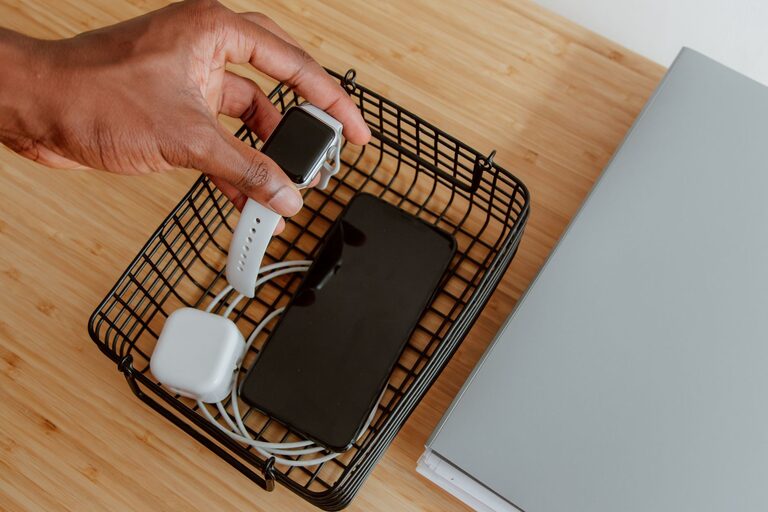
Setting up a dedicated charging station can simplify your daily routine, reduce clutter, and keep all your devices ready whenever you need them. Whether you have smartphones, tablets, smartwatches, or other rechargeable electronics, a well-designed charging station helps you stay organized and efficient.
In this guide, we’ll walk you through the key steps to create a functional and tidy charging station at home.
Why Create a Charging Station?
Modern households often have multiple devices that need regular charging. Without a proper setup, charging cables can get tangled, devices may be misplaced, and finding an available outlet can become frustrating. A charging station offers several benefits:
– Keeps cables and devices organized
– Centralizes charging in one convenient location
– Prevents clutter and tangled cords
– Protects devices from damage by providing stable placement
– Makes it easy to check battery status and access devices
Planning Your Charging Station
Before assembling your station, consider the following:
1. Identify Devices to Charge
Make a list of all devices you want to include. Common devices are:
– Smartphones
– Tablets
– Smartwatches and fitness trackers
– Bluetooth headphones or earbuds
– Portable power banks
– E-readers
Knowing your devices helps determine how many charging ports and what types of cables or adapters you’ll need.
2. Choose a Location
Pick a spot that is:
– Easily accessible
– Near a power outlet (or where you can add one)
– Away from high-traffic areas to avoid accidental knocks
– On a sturdy surface such as a desk, dresser, or shelf
Setting Up Your Charging Station
1. Gather the Necessary Equipment
You will need:
– A power strip or surge protector with enough outlets
– A multi-port USB charger if many devices use USB charging
– Charging cables compatible with your devices
– Cable management tools (clips, ties, sleeves)
– A container or organizer to hold devices (optional)
2. Use a Multi-Port Charger
Instead of plugging each device into a separate wall outlet, a multi-port USB charger consolidates charging into one unit. Look for one that supports fast charging and has enough ports for your devices.
3. Organize Cables
Messy cables can defeat the purpose of a charging station. Try these tips:
– Use cable clips or organizers to keep cords separated
– Label each cable to know which device it belongs to
– Use velcro ties or cable sleeves to bundle excess cable length
– Avoid letting cables hang loosely where they can be pulled or tripped over
4. Arrange Your Devices
Decide whether you want devices to lie flat or stand upright. Options include:
– Small bins or trays to hold devices horizontally
– Charging docks or stands designed for phones and tablets
– DIY solutions like repurposed boxes or wooden holders
Make sure each device has a stable, secure spot to avoid falls.
5. Keep Ventilation in Mind
Charging generates some heat. Allow proper airflow around devices and chargers to prevent overheating. Avoid stacking devices directly on top of each other.
6. Consider Additional Features
Enhance your charging station with:
– A clock or small lamp nearby for convenience
– A wireless charging pad for compatible devices
– A basket or drawer nearby to store accessories like earbuds or adapters
Maintenance Tips
To keep your charging station working well over time:
– Regularly unplug and inspect cables for wear or damage
– Dust the area and clean devices frequently
– Replace outdated chargers with newer, safer models
– Reorganize cables if they become tangled
DIY Charging Station Ideas
If you enjoy handy projects, here are a few creative ideas:
– Use a wooden box with holes drilled for cables and ventilation
– Repurpose an old drawer as a charging station with power strip mounted inside
– Build a multi-level shelf to separate devices by size
These projects add a personal touch while keeping your space neat.
Conclusion
Setting up a charging station is a simple way to bring order and convenience to your home or office. By planning your space, choosing the right equipment, and organizing cables and devices, you can create a practical hub that keeps your gadgets powered and ready.
Try these steps and tips to build your ideal charging station. You’ll save time, reduce clutter, and always know where to find a charged device!
—
If you’ve set up a charging station already or have tips of your own, feel free to share in the comments below!